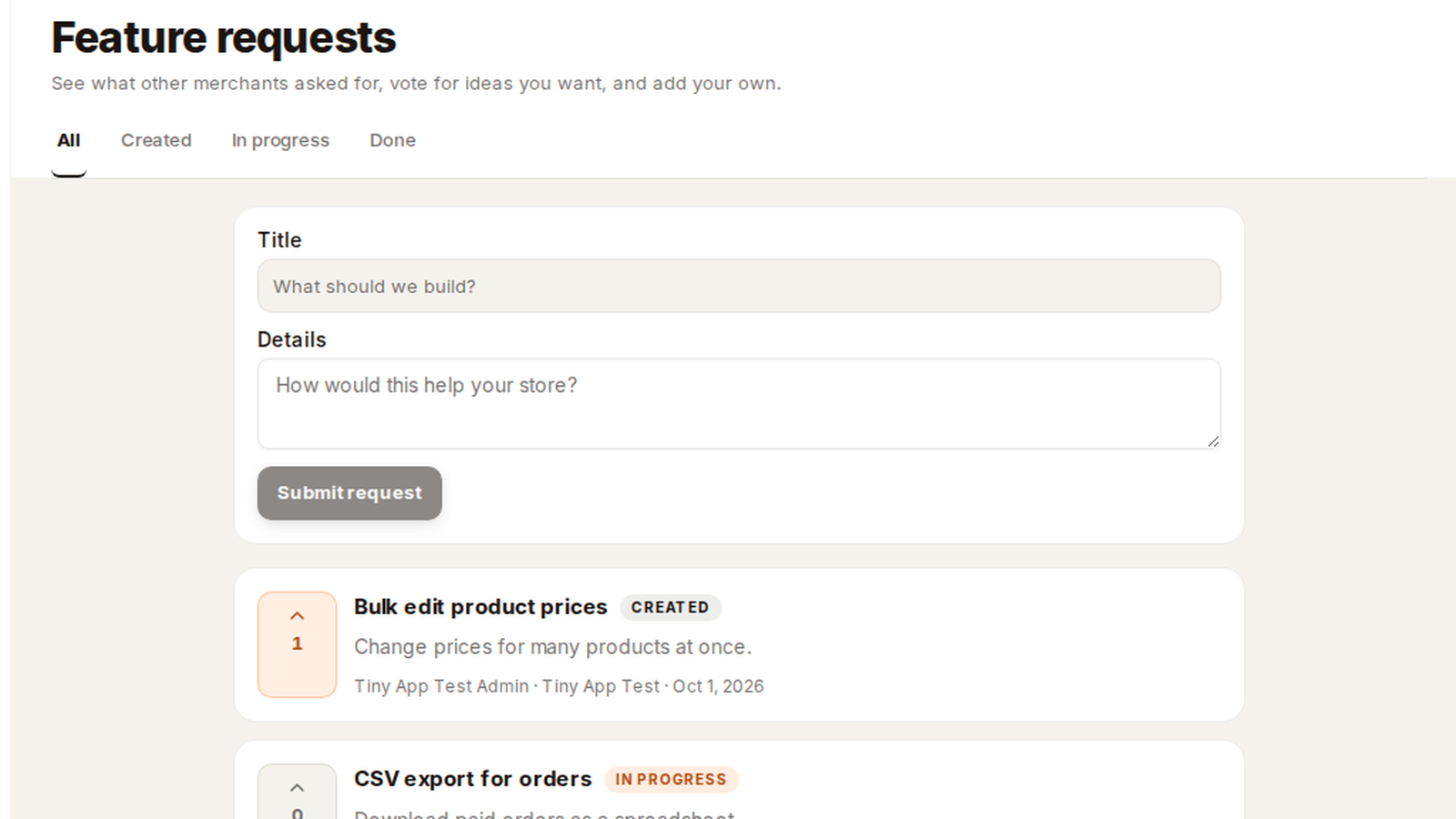
Tiny Shops now has a shared board for what the product should do next. Open Feature requests in the dashboard, read what other merchants asked for, vote if you want the same thing, and add your own.
Tiny App Test, Fruits Store, and Nanogi Shop in the screenshots are sample stores. The three requests are examples so the labels are easy to read. They are not a ranking of what we will build first.
Where it lives#
In the left sidebar, under Settings, the row is Feature requests. It is there for the store owner and for every team member. Direct URL: dashboard.tiny-shops.com/feature-requests.
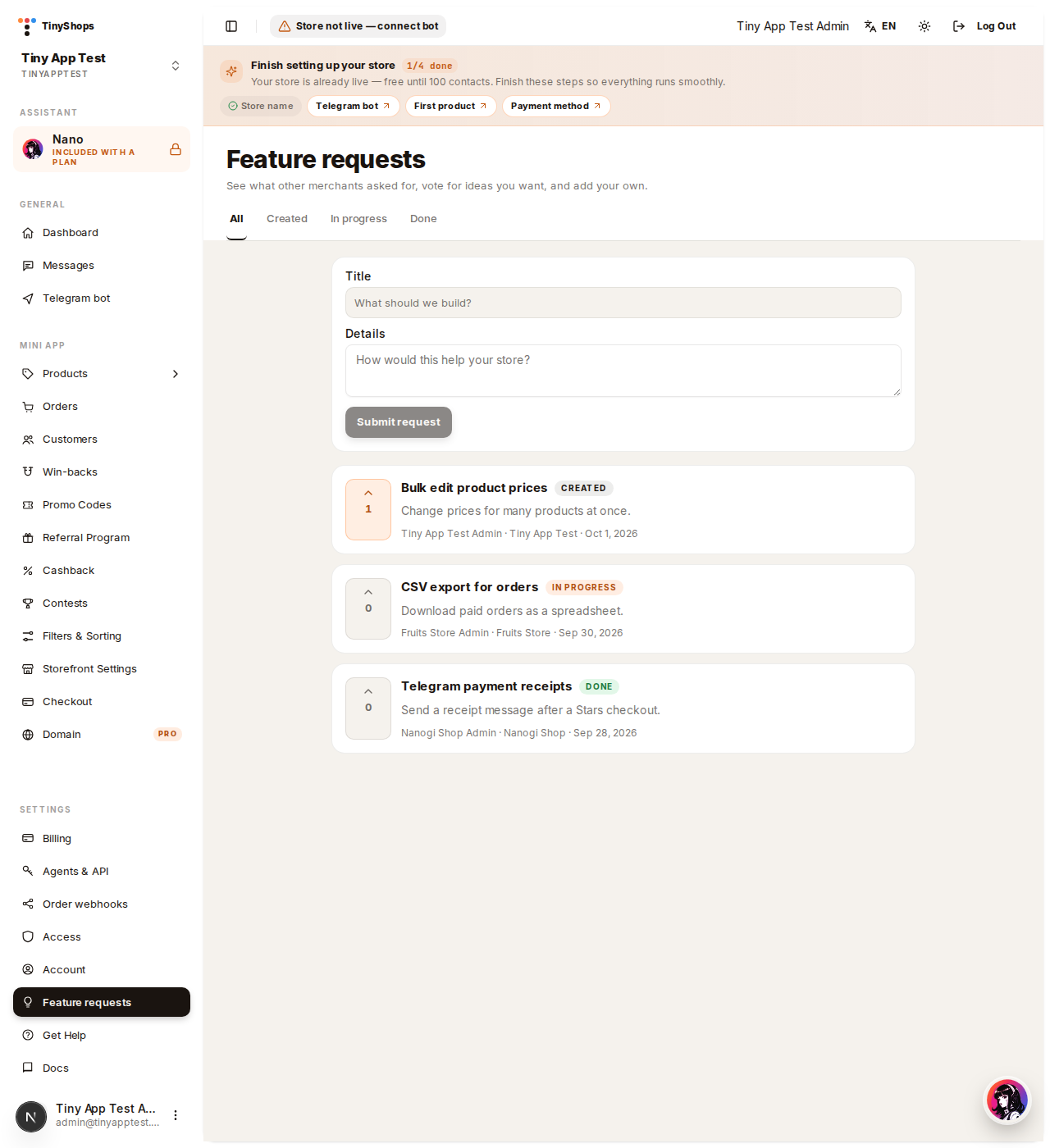
The page opens with a short form and the list underneath. Tabs across the top are All, Created, In progress, and Done.
Add a request#
- Type a Title. One sentence is enough. The field stops at 140 characters.
- Add Details if you want to say how it would help the shop. Optional, up to 2,000 characters.
- Click Submit request.
The card appears immediately with the status Created and zero votes. The line under the text is who asked, which store they were in, and the date.
You do not pick the status. A new request is always Created. Tiny Shops moves it to In progress while it is being built, and to Done when it is in the product.
Vote#
Each card has an arrow and a count on the left. Click it to vote. The count goes up by one, and the arrow fills in. Click again to take the vote back.
One vote per person. You can vote on someone else's request, including a request from another store. On the sample board, "Bulk edit product prices" has one vote and is Created. "CSV export for orders" is In progress. "Telegram payment receipts" is Done.
The list is ordered by votes, then by newest. The In progress tab hides everything that is not in progress. Done does the same for finished requests. All shows the whole board.
Who can see it#
The board is one list for every store. A request filed in one shop shows up for the others, with the author's name and the store name. Team members can file and vote. They do not need the owner to do it for them.
If a store is later deleted, the idea stays on the board. The store name on that card goes away.
From an agent#
The same three actions are tools on the merchant MCP server, and the same calls over HTTP:
list_feature_requests— the shared board, with an optional status filtercreate_feature_request— title and optional details; status is always Createdvote_feature_request— toggles that admin's vote and returns the new count
A read token can list. Creating and voting need write access. The vote is always the person behind the token. It cannot be cast as someone else.
Open your store at tiny-shops.com →
- 🇷🇺 Tiny Shops RU
- 🇬🇧 Tiny Shops EN
