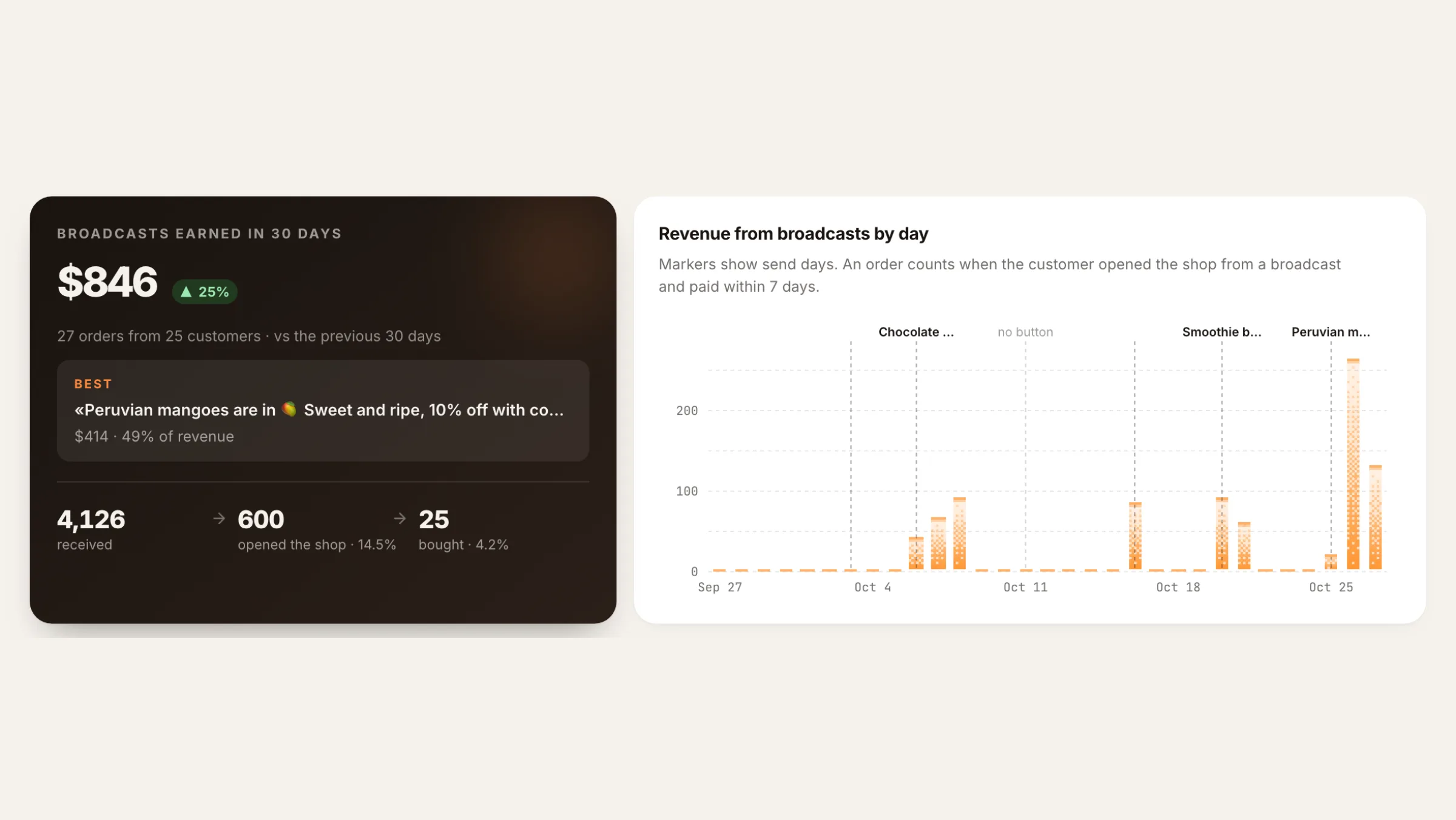
The Broadcasts page now opens with money: how much your broadcasts earned in the last 30 days, which one did best, and how many people went from the message to the shop to an order. Every broadcast has its own results page. Shop buttons that point to your Mini App open inside Telegram again instead of a browser.
What shipped#
- Broadcast buttons open inside Telegram again. A Mini App link like
t.me/<bot>/<app>in a broadcast button used to be swapped for a long tracking link that opened in a browser, and on some networks didn't open at all. Telegram links now stay Telegram links. - A results page that leads with revenue. Total earned over 30 days, the change against the previous 30 days, your best broadcast, and received → opened the shop → bought.
- A page for each broadcast. How much it earned against your average, where people dropped off, when they opened the shop, and the orders it brought in.
- The same numbers for agents and Nano through the MCP tools
list_campaigns,get_campaignandget_campaign_performance.
Buttons that open inside Telegram#
Here is what a shopper got behind the button before, and what they get now:
Before: https://dashboard.tiny-shops.com/api/track/merchant-broadcast?t=v1.…
Now:    https://t.me/<your_bot>/<app>?startapp=broadcast-…
The link opens your shop right inside Telegram. The short startapp tag at the end is how we still know which broadcast the shopper came from.
- Links to your store's bot or Mini App get the tag and are counted.
- Links where you set your own
startorstartappvalue, links to channels and links to other bots go out exactly as you typed them. They aren't counted in "opened the shop". - Ordinary website links still go through our tracker, as before.
The Broadcasts page#
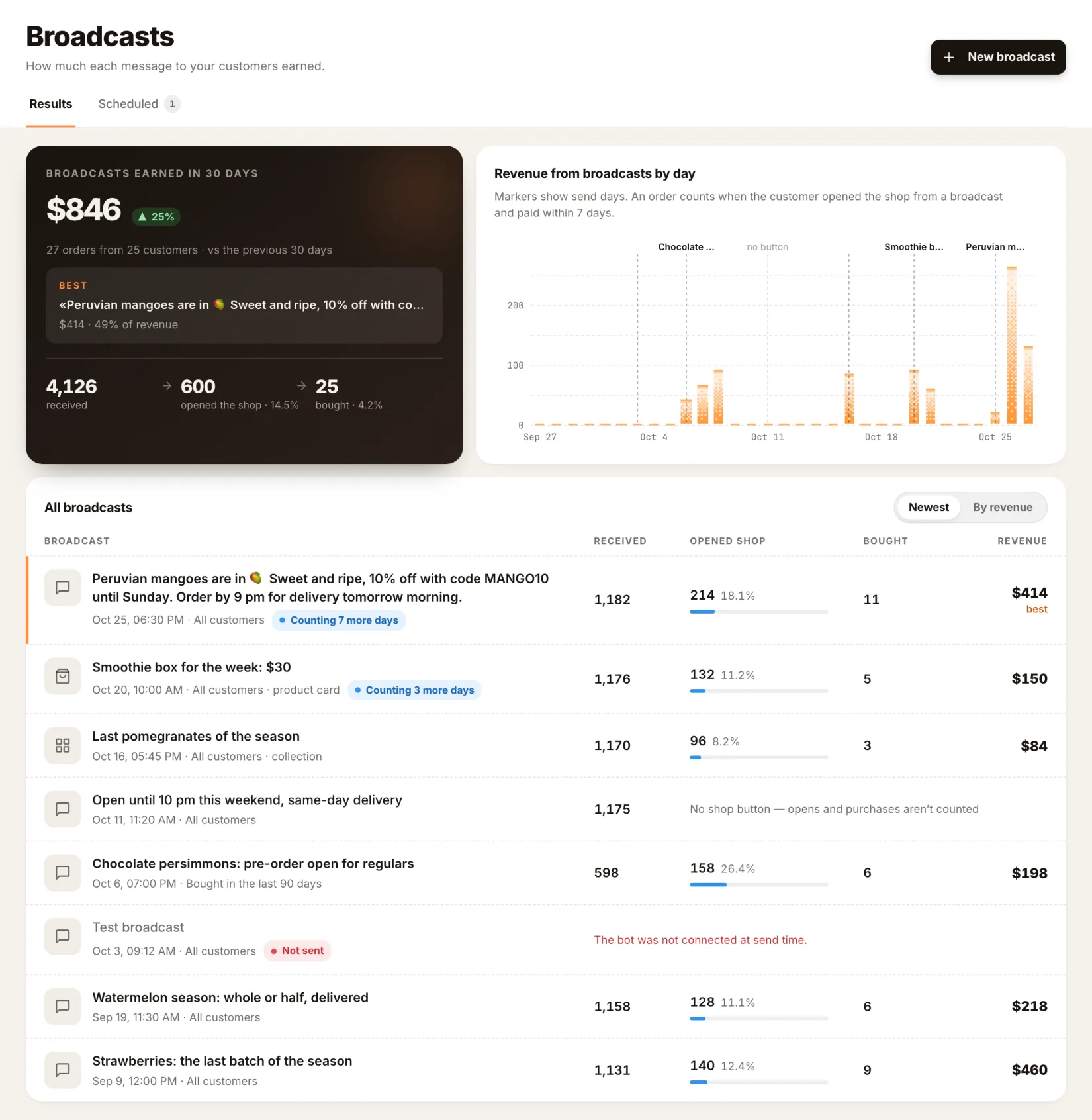
- Broadcasts earned in 30 days, with the change against the previous 30 days and the number of orders and customers.
- Best: the broadcast that brought in the most, and its share of revenue.
- Received → opened the shop → bought, with the rates between the steps.
- Revenue from broadcasts by day, with a marker on each send day.
- All broadcasts: received, opened shop, bought and revenue for each one. Sort by Newest or By revenue. A broadcast whose 7 days are still running shows "Counting N more days".
- New broadcast opens the composer. Scheduled broadcasts have their own Scheduled tab.
Each broadcast's page#
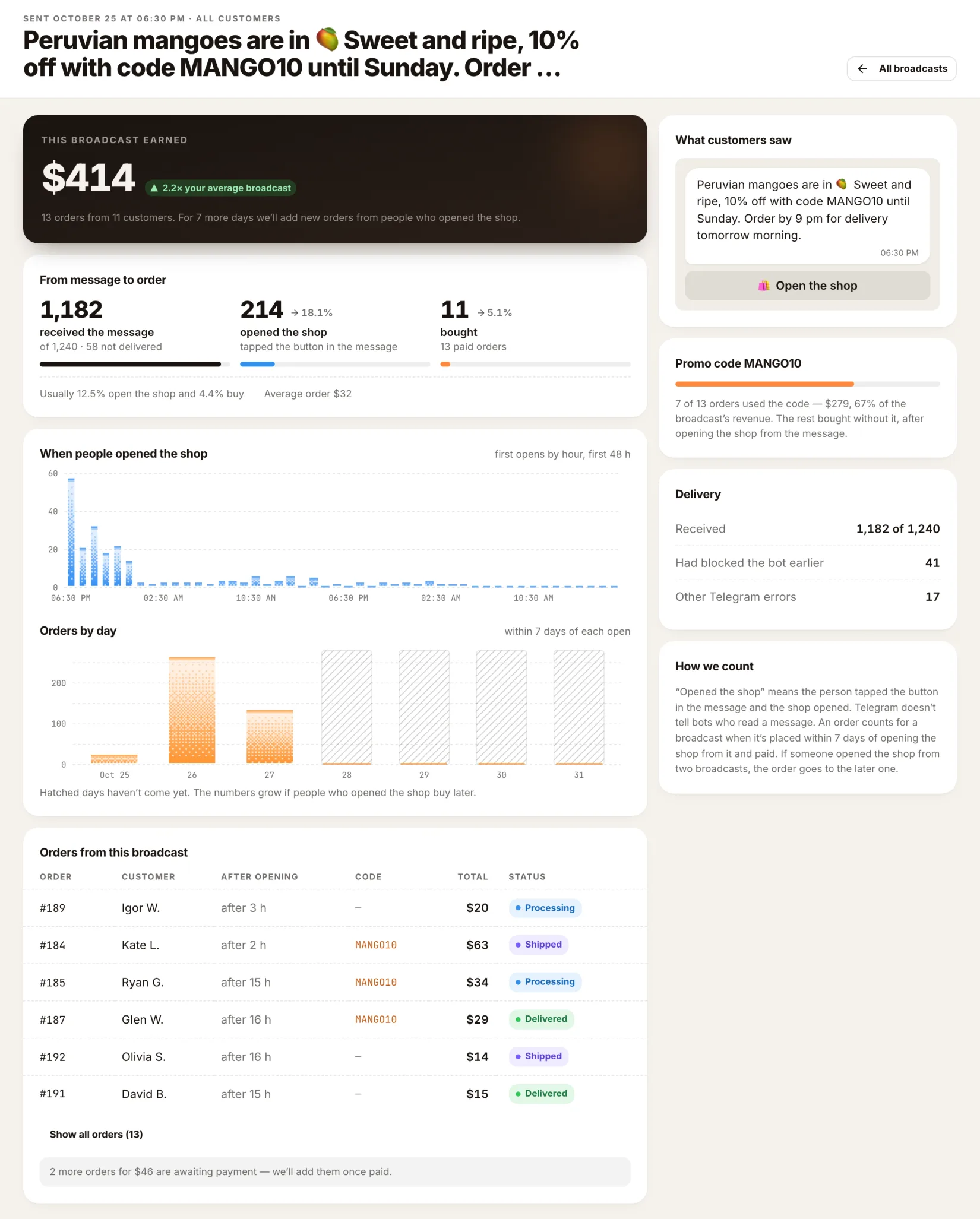
- The verdict: how much the broadcast earned, compared with your average broadcast.
- From message to order: received, opened the shop, bought, next to your store's usual rates.
- When people opened the shop: opens by hour over the first 48 hours, and Orders by day.
- Orders from this broadcast, plus orders still awaiting payment.
- What customers saw: the message as it looked in Telegram.
- Promo code: how many orders used the code you attached.
- Delivery: how many received it, how many had blocked the bot, other Telegram errors.
- How we count, right on the page.
How we count#
- An order counts for a broadcast if the shopper opened the shop from it and paid within 7 days of opening.
- If they opened the shop from two broadcasts, the later one gets the order.
- While the 7 days are still running, the page says how many days are left, and the numbers can still grow.
- Telegram doesn't tell bots who read a message, so we count opens of the shop, not reads.
Where to click#
- Dashboard → Broadcasts in the sidebar, or open dashboard.tiny-shops.com/broadcasts.
- Read the top of the page for the last 30 days, then switch the table to By revenue to see what sold.
- Open any broadcast to see its funnel, opens, orders and promo code results.
- Press New broadcast to send the next one. Add a shop button so it can be counted.
How to write and send a broadcast that sells: How to send a Telegram broadcast to your buyers.
Create or open your store at tiny-shops.com →
- 🇷🇺 Tiny Shops RU
- 🇬🇧 Tiny Shops EN
