Tiny Shops is a no-code Telegram Mini App shop builder. One account can own several shops: you switch them in the sidebar without signing out, each keeps its own products, orders, and bot, and you still pay one plan. Starter includes 1 store, Pro up to 3, Scale up to 10.
This is not a second Tiny Shops login, and it is not Shopify's sales channels. It is extra Mini App shops under the same owner.
What you get per store vs per account#
| Per store | Shared on the account |
|---|---|
| Products, orders, customers | One subscription (Starter / Pro / Scale) |
| Telegram bot and Mini App | Contacts, broadcasts, and AI requests (summed) |
| Storefront settings, checkout, welcome | Team seats on the plan |
Splitting an audience across shops does not dodge the contact meter. Billing counts every store together.
How many stores your plan includes#
- Starter — 1 store
- Pro — up to 3 stores
- Scale — up to 10 stores
Need another shop on Starter? Upgrade. Existing shops keep working either way.
Switch shops#
Owners always get a store-name menu in the sidebar, even with one shop. That is how you add the next one. The logo still goes to the dashboard.
- Open the dashboard.
- Click the store name under the logo.
- Your stores lists every shop. The create row shows 1 of 1 store on Starter, 2 of 3 stores on Pro, and so on. A shop that never went live has a Setup badge.
- Click another shop to switch. The dashboard reloads into that shop. If another tab was open, it shows You switched stores in another tab with Reload.
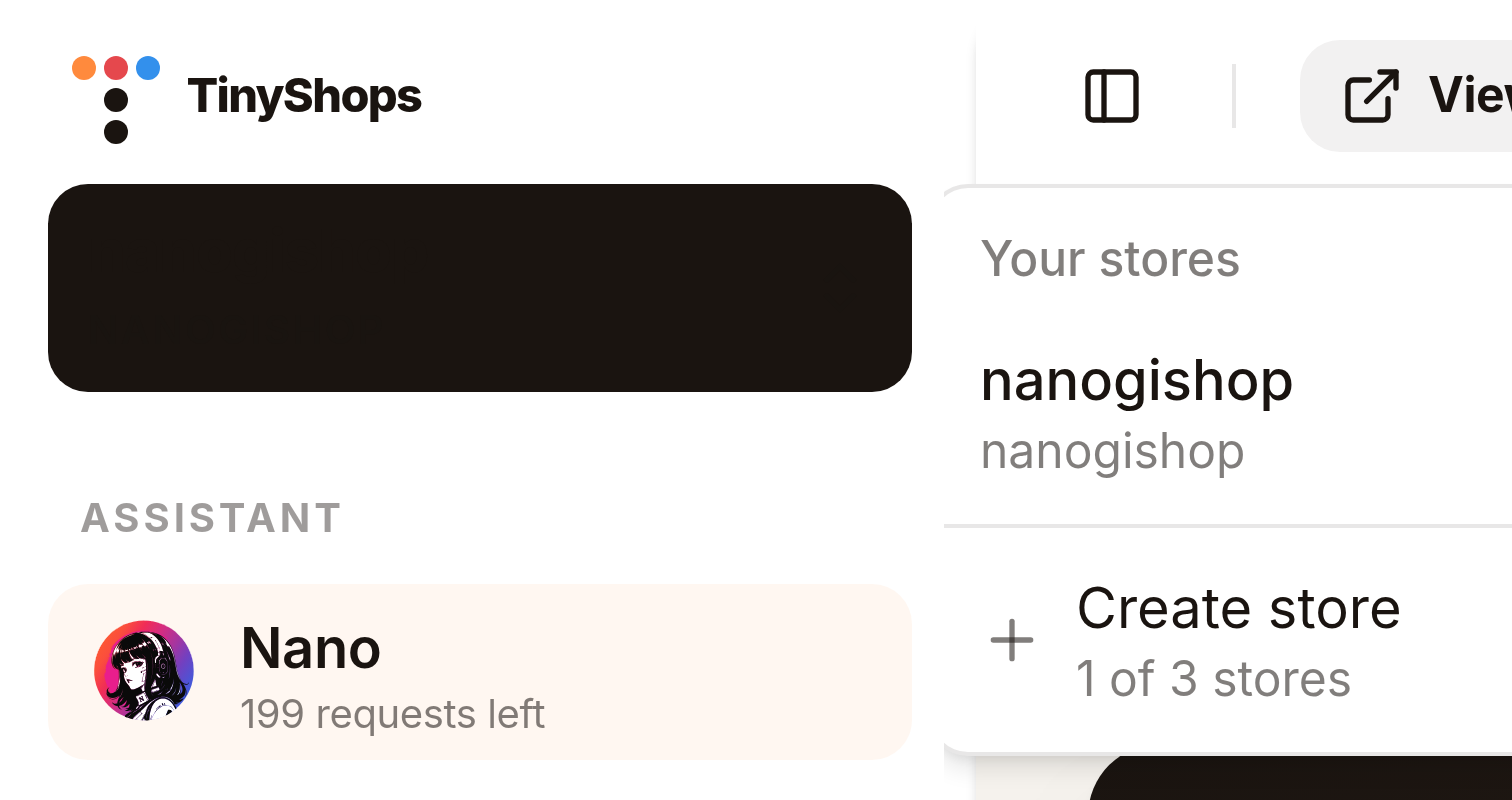
Create a second store#
- Store-name menu → Create store.
- On Your stores. you get the Add a store card. Fill Store name (shown to you).
- Tenant ID is optional. Leave it blank to auto-generate.
- Tick the terms → Connect store.
There is no second card wall. You land inside the new shop. Connect its bot later from Telegram bot (one @BotFather token per shop, same as creating a Telegram bot store). A token already in use is rejected.
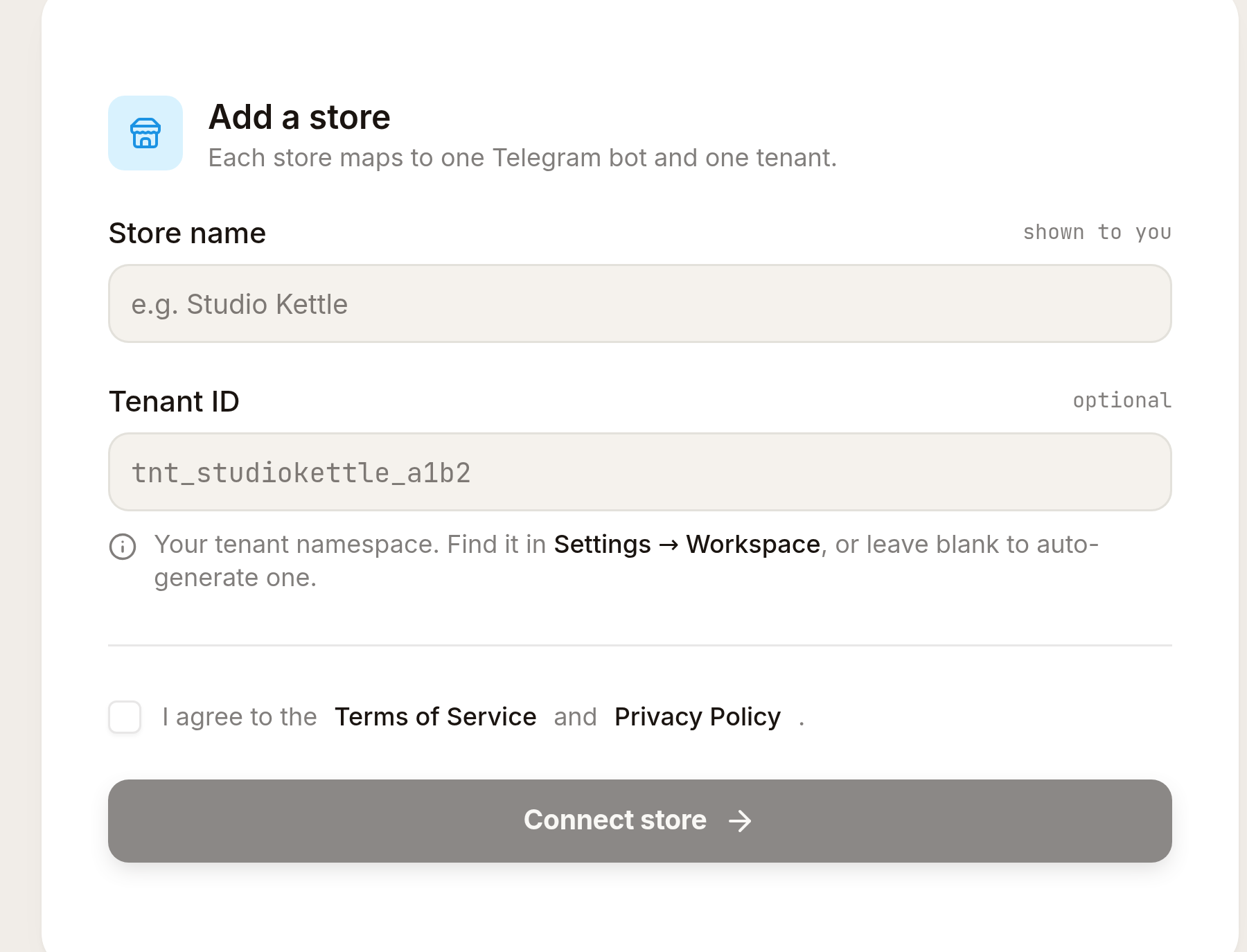
On Starter (1 of 1), Create store is disabled and Upgrade plan appears. Opening /create-store at the cap shows Store limit reached — existing shops stay up.
Billing and usage#
Open Billing. With two or more shops, the usage card says Contacts, broadcasts and AI requests are counted across all your stores. Nano and broadcasts say the same.
Upgrade, portal, and cancel run on the account, not on whichever shop you happen to be viewing. Each shop still connects its own buyer Stripe (or other checkout provider). Deleting a shop does not cancel the plan unless it was the last one.
Delete a store#
- Switch to the shop you want gone.
- Storefront Settings → General → Danger zone → Delete this store.
- Type the store name → Delete store forever.

That Mini App, bot connection, products, and orders go away. The subdomain cannot be reused.
If other shops remain, the subscription moves to one of them and billing continues. If this was the last shop, you land in the setup wizard like a new signup, and cancel is scheduled at period end.
FAQ#
Can I run more than one Telegram shop on Tiny Shops? Yes. One login, several Mini App shops. Starter 1, Pro up to 3, Scale up to 10.
Do I pay twice for a second store? No. One account subscription. Contacts, broadcasts, and AI are pooled.
Does each store need its own bot?
Yes. Connect it after create, from Telegram bot. @BotFather /newbot per shop. A token already in use is rejected.
Will shoppers see my other brands? No. Each Mini App, catalog, and checkout is separate.
What if I hit the store limit? Upgrade plan. Current shops keep working.
Create or open your store at tiny-shops.com →
- 🇷🇺 Tiny Shops RU
- 🇬🇧 Tiny Shops EN
