Tiny Shops is a no-code Telegram Mini App shop builder. Cashback settings now let you raise the rate on a date range, give a category its own percentage, and control how shoppers spend bonuses — and the storefront and dashboard award the same rate.
What shipped#
- Earning / Redemption tabs — Cashback Settings splits earning rules from spending rules.
- Scheduled promotions — inclusive UTC date windows. Add on top stacks on the tier rate; Replace swaps it (a higher tier still wins). Optional Own cap for this promotion so the store-wide max does not swallow the boost.
- Category rates — a mixed cart earns the best matching category rate. A category never lowers what the customer's tier already earns.
- Redemption — set the maximum share of an order payable with bonuses, and whether bonuses and promo codes can be combined. These rules already ran at checkout; they finally have a UI.
- Max. orders on each tier, plus a Preview that uses the same resolver as the payout.
How-to: How to run cashback promotions in your Telegram shop. Strategy (evergreen): Cashback beats discounts.
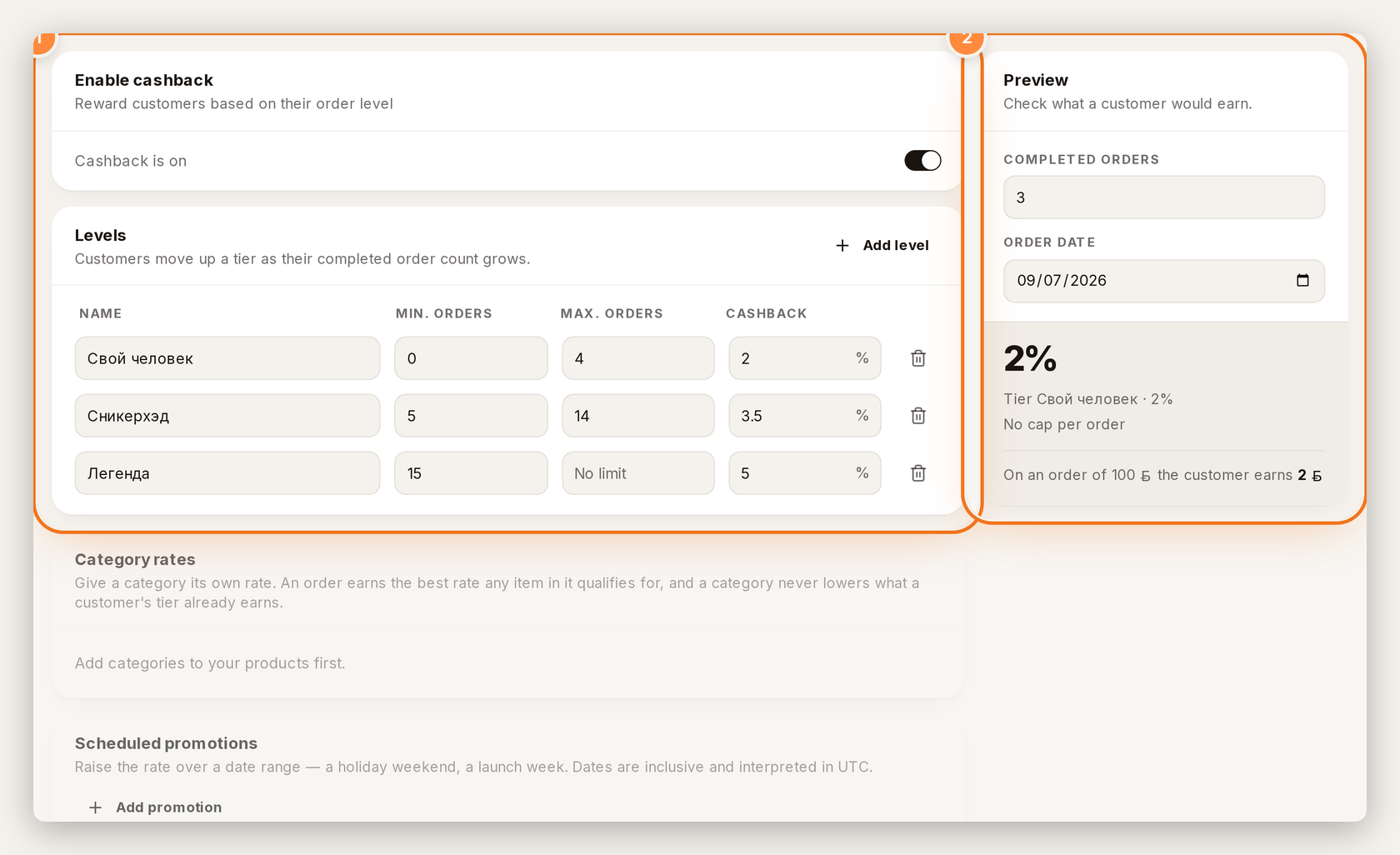
1 — Levels. 2 — Preview.
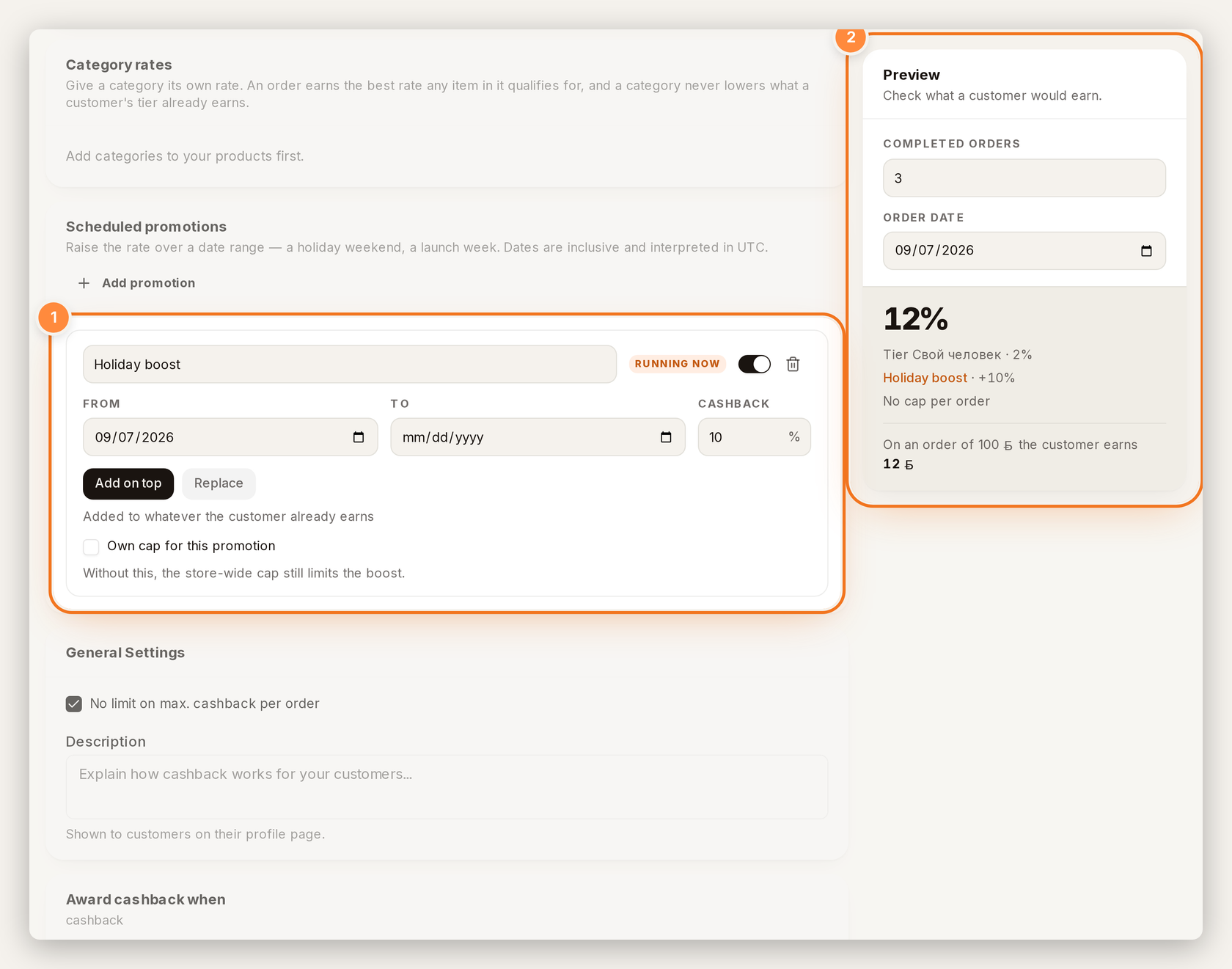
1 — dated promotion. 2 — Preview shows the boost.
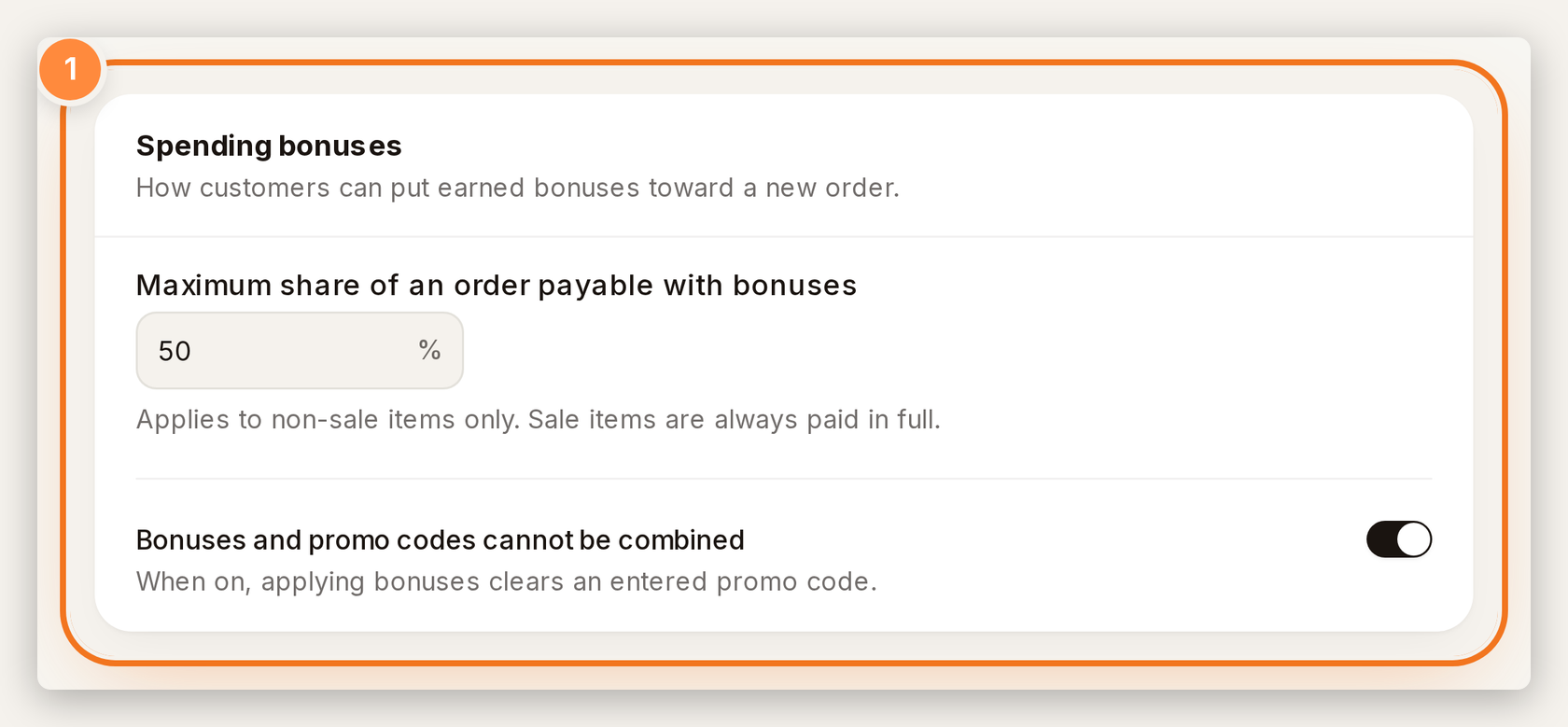
1 — how bonuses spend at checkout.
Where to click#
- Dashboard → Cashback → Cashback Settings.
- Earning — levels, Category rates, Scheduled promotions, Preview.
- Redemption — spending bonuses and promo exclusivity.
- Save changes.
Create or open your store at tiny-shops.com →
- 🇷🇺 Tiny Shops RU
- 🇬🇧 Tiny Shops EN