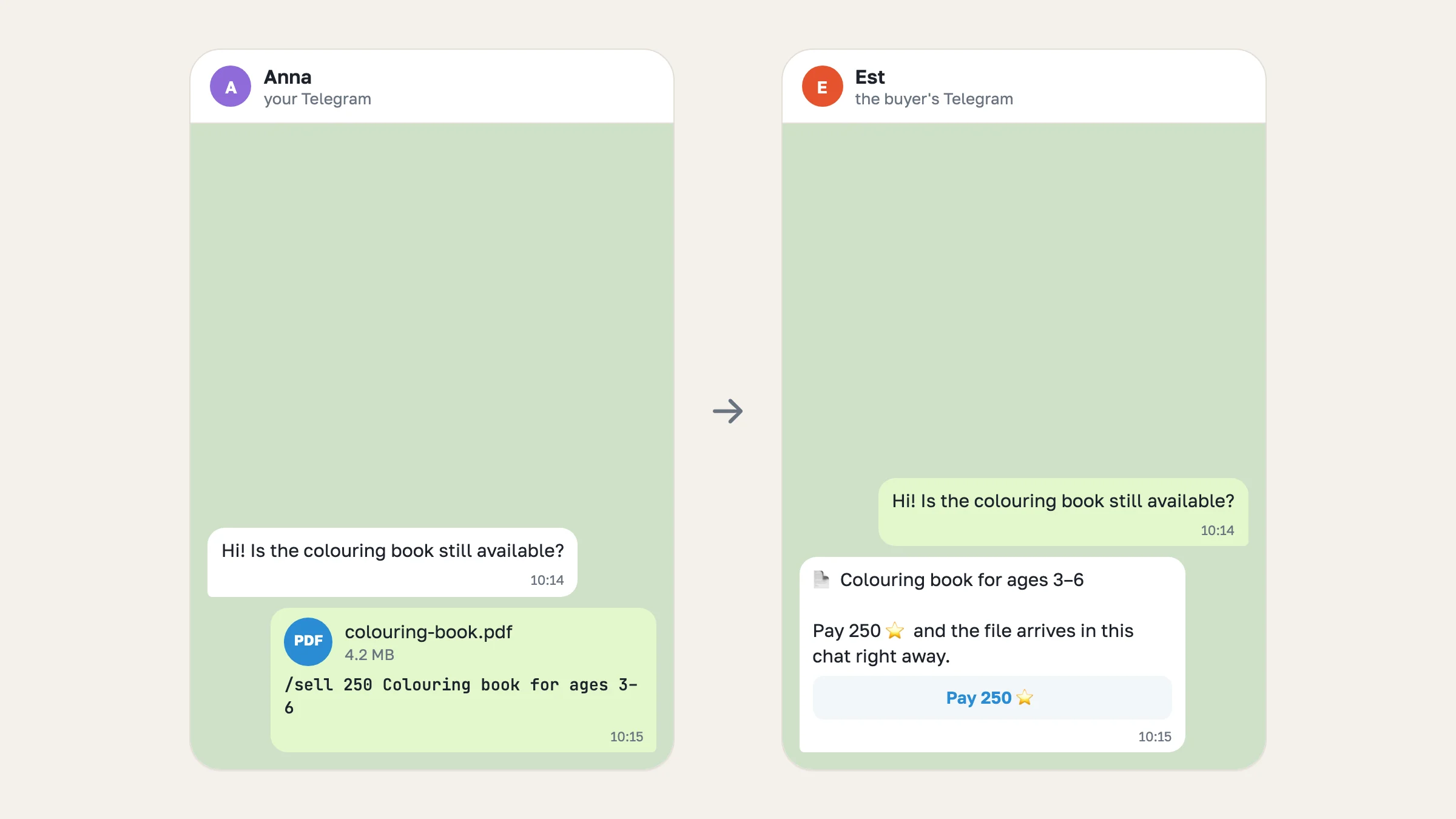
If you sell in Telegram chats, you can now sell without leaving them. Send a photo, a video or a file to a buyer with /sell 500 Name as the caption, and your shop bot locks it behind 500 Stars, delivers it once paid, and tells you who bought it. Files are new too: PDFs, ebooks, preset packs and ZIP archives now sell the same way as photos. This post explains why we built it, how it works, and what it does not do yet.
The step-by-step setup is in how to sell digital products on Telegram.
Why we built it#
The chat format is for people who already sell in their DMs: a buyer asks, you answer, you agree on a price. Earlier this month we split it from the Mini App shop so these sellers could start without building a catalog. Then we watched what happened, and most new chat shops never made a first sale. Talking to sellers showed three reasons.
Selling meant leaving the chat. To charge for a photo, you had to open the Tiny Shops dashboard on a computer, find the conversation, upload the photo again and set a price. A seller who lives in Telegram on their phone did not do that in the middle of a conversation.
Files could not be sold at all. One of the first sellers to write to us made a colouring book for children and asked how to sell the PDF. The honest answer was "you can't": Telegram's paid media covers photos and videos, so the dashboard refused documents. Ebooks, templates, presets and guides are exactly what many creators sell.
Nobody told you about a sale. When a buyer unlocked a paid photo, the seller found out only by checking the dashboard.
So the goal was simple: selling should take one message, in the app you already have open, for any kind of file, and you should hear about every sale.
How it works#
You connect your shop bot to your Telegram account once, under Settings → Telegram Business → Chatbots. From then on the bot sits in your private chats with buyers and can act on your behalf there.
- A buyer asks you something in your chat, as usual.
- You attach the photo, video or file, write
/sell 250 Colouring bookin the caption, and send it. - The bot sees your message, sends a locked copy in its place and deletes your original.
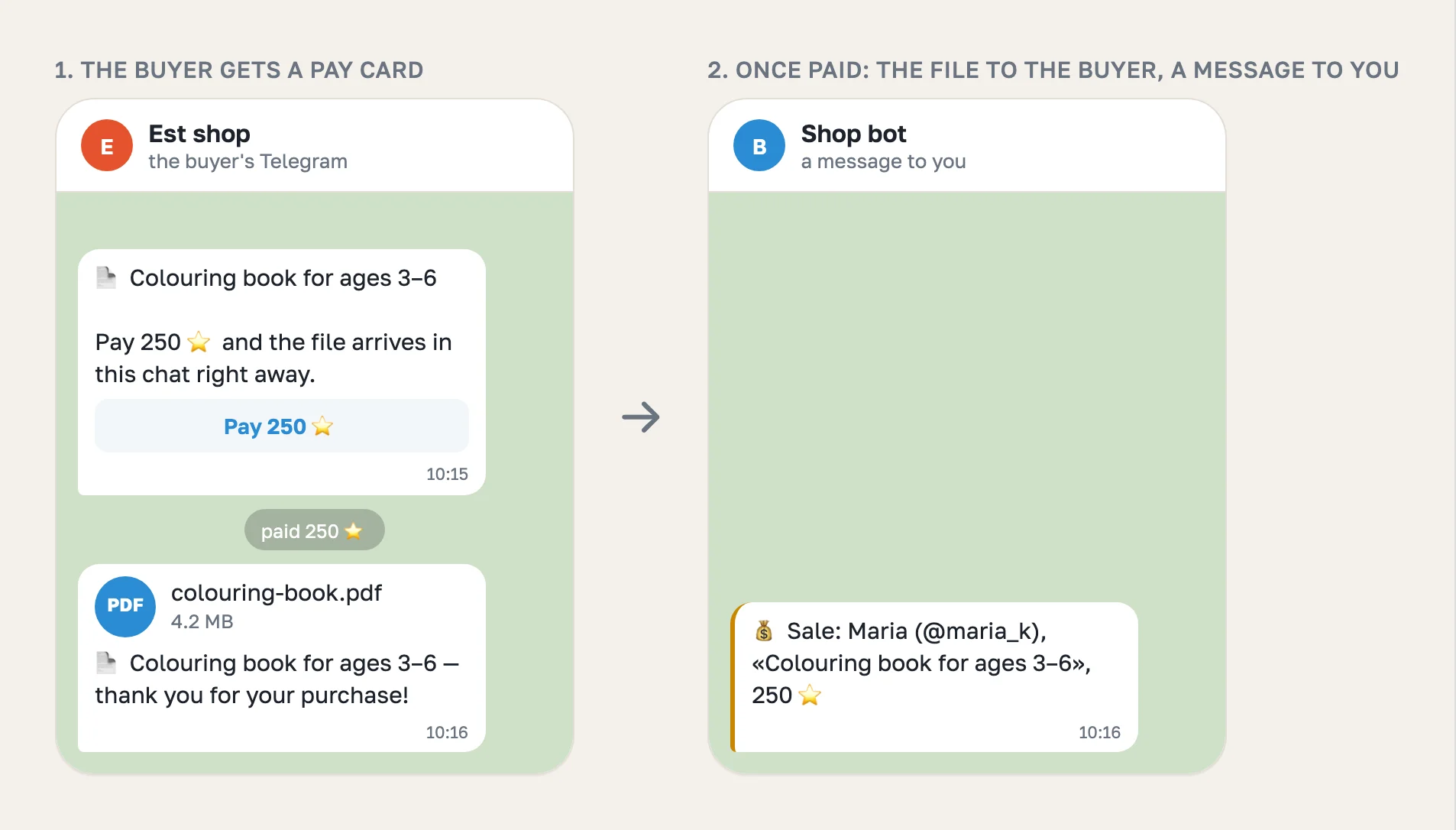
- The buyer pays in Telegram's own payment sheet.
- The bot delivers the file, records the sale on your Sales page, and sends you a message such as 💰 Sale: Maria, «Colouring book», 250 ⭐.
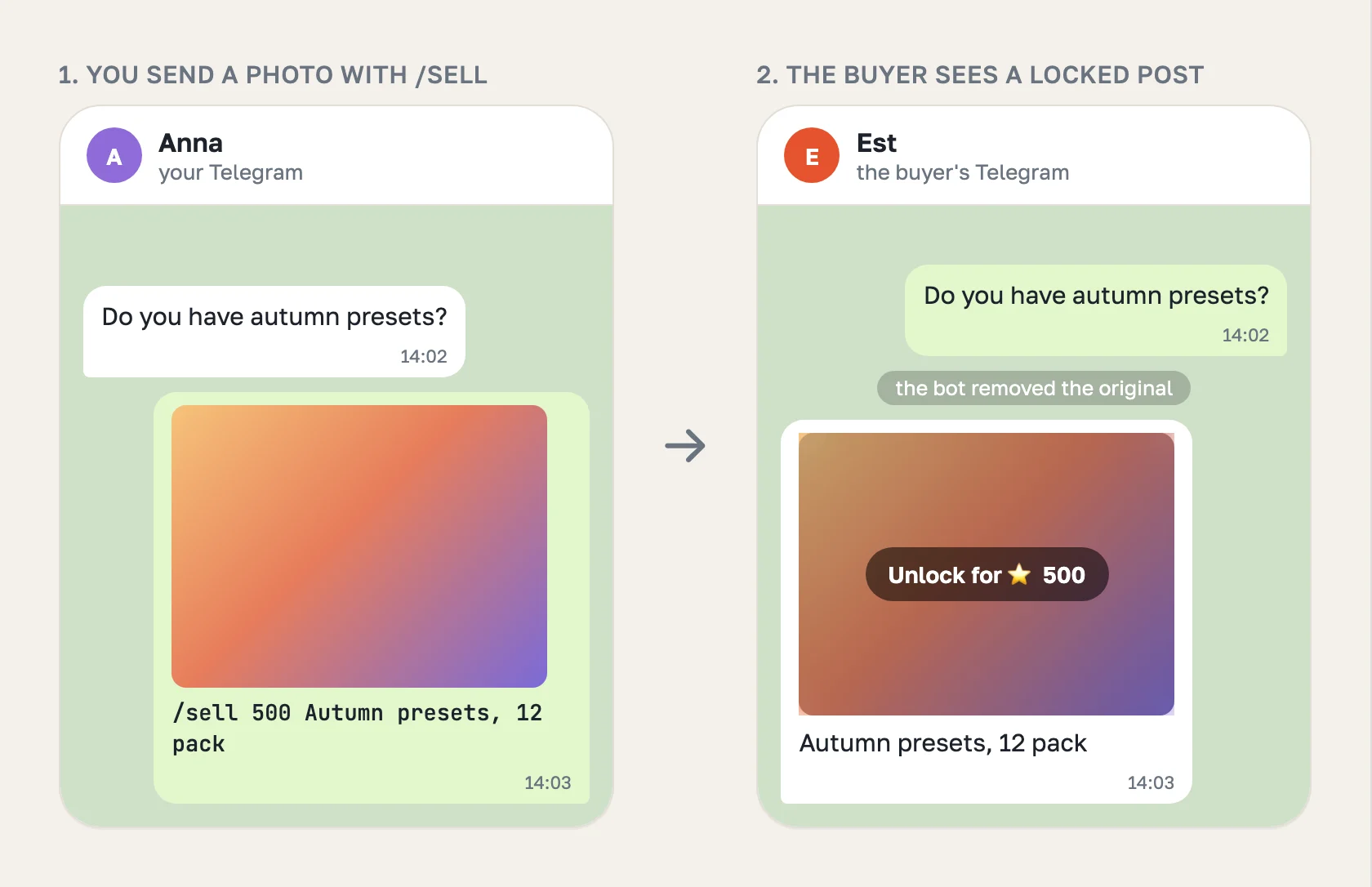
For a photo or a video the locked copy is a blurred post the buyer unlocks for Stars. For a file it is a short card with a Pay 250 ⭐ button. Telegram has no paid document, so a file sells through a Stars invoice, and the bot sends it into the same chat a second after payment.
Why the bot deletes your message#
Telegram delivers your message to the buyer first and only then shows it to the bot. There is no way for a bot to catch a message before it is sent. So the bot replaces it right after: it posts the locked copy and removes the original.
That is why /sell needs the permission to delete messages. If the bot does not have it, it sells nothing, because your file would stay in the chat for free, and it tells you where to switch the permission on.
It also means a buyer may see the original for a moment, for example in a notification. For a photo that is a thumbnail. For a valuable file it is a real risk, and we would rather say so than hide it. Until the safer flow below ships, send a preview first and the file once the buyer asks to buy.
What keeps a sale honest#
- Only the buyer you sent it to can pay. A forwarded pay card is refused for anyone else before they are charged.
- The price is checked at payment. If the offer was changed or is gone, the payment does not go through.
- No double charges. A second payment for a file that is already sold is refunded automatically.
- No double offers. If Telegram repeats an update, the bot does not send a second card.
- Delivery is watched. If the file could not be delivered, you get a message asking you to send it yourself. The sale is recorded either way.
The same from the dashboard and for AI agents#
Prefer a computer? In the Messages tab, attach a file and a price field appears next to it. A chat shop never sends a file for free. The buyer gets the same pay card.
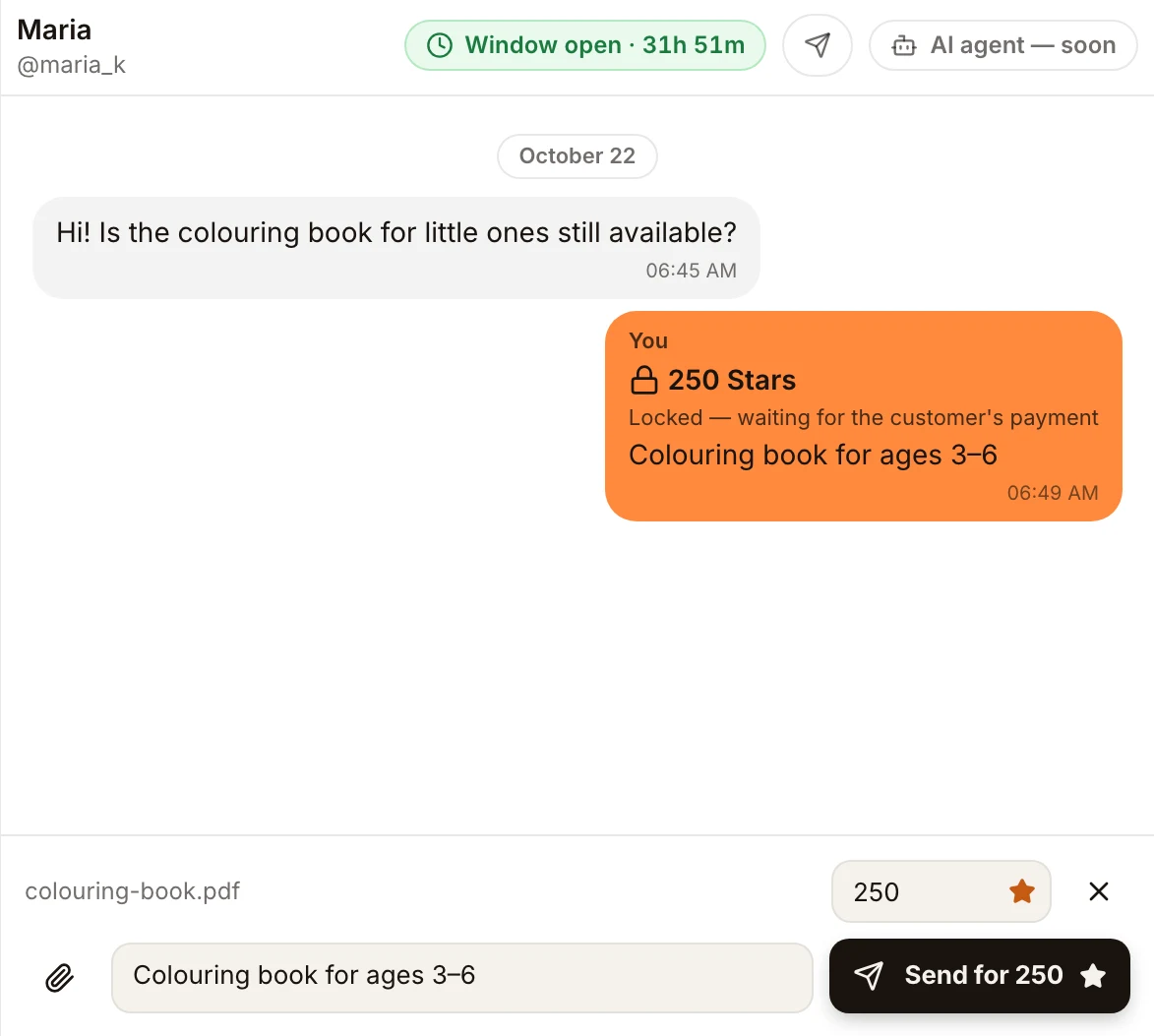
The same action is available to AI assistants and scripts through the Tiny Shops MCP server and API (reply_to_customer with one document and priceStars).
What it costs#
Stars land on your bot's balance and you withdraw them through Fragment. Sales in Stars pay your plan's percent: 5% on Free, 3% on Starter, 1.5% on Pro, 0.7% on Scale.
What's next#
- Send to the bot first. You send the file to your own bot, and it gives you a ready pay card to share. The file never reaches the buyer before payment.
- A catalog of saved items. Save a file once with its name and price, then offer it in any chat with a tap, or let buyers type
/catalog. - Refunds from the dashboard for files sold this way.
- The file name in the inbox, so you can see which file each paid message holds.
Try it in your next conversation: attach a file, write /sell and a price, and send. If something does not work the way you expect, reply to any message from our bot and tell us.
