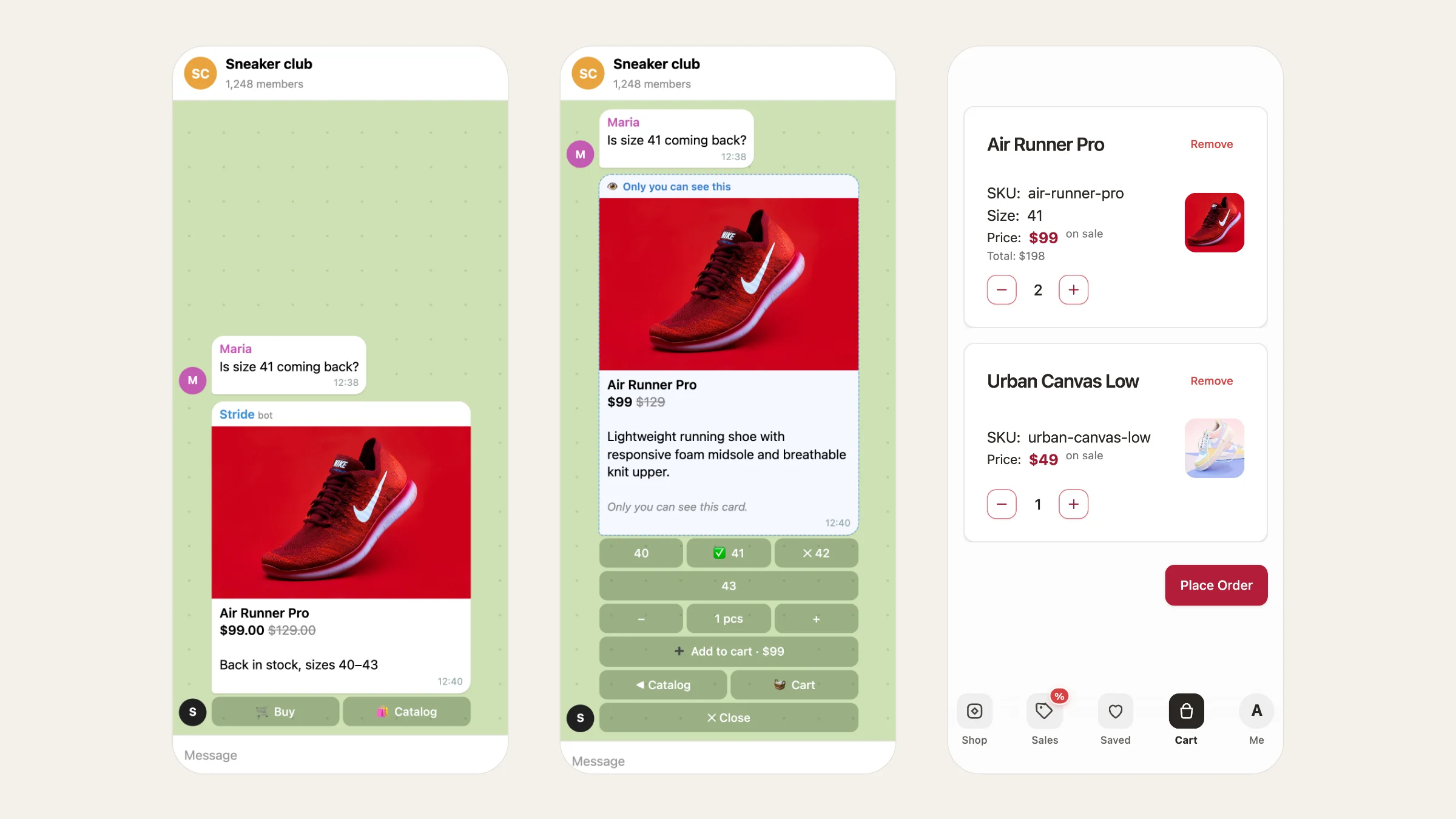
Your store's group is where buyers talk, ask about sizes and show off what they bought. But to actually buy, they had to leave the group: find the store link, message the bot in private, or ask for the price in the shared chat. Every one of those steps loses some buyers. This guide shows how to add a shop bot to your Telegram group and set it up so people buy right under the post, without cluttering the chat for everyone else.
Three ways to sell in a Telegram group#
| Way | How a buyer orders | What goes wrong |
|---|---|---|
| Posts + "DM me" | Writes to you in private | You answer every message by hand; buyers wait and leave |
| A link to your store | Leaves the group for a website | Every extra step loses buyers |
| A shop bot in the group | Taps Buy under the post | Nothing, if the bot keeps the chat clean |
A group bot is the fastest path for the buyer. The catch with most bots is noise: each tap adds a message for everyone. Tiny Shops avoids that with private cards (more on them below).
How to add a bot to a Telegram group#
- Open your group and tap its name to open the group info.
- Tap Add members, search for your store bot by its @username and add it.
- To let the bot pin the catalog post, make it an admin: Edit → Administrators → Add admin, pick the bot and leave Pin messages on.
- Check that the bot can send messages in the group: it must not be muted or restricted.
How to set up the group shop in Tiny Shops#
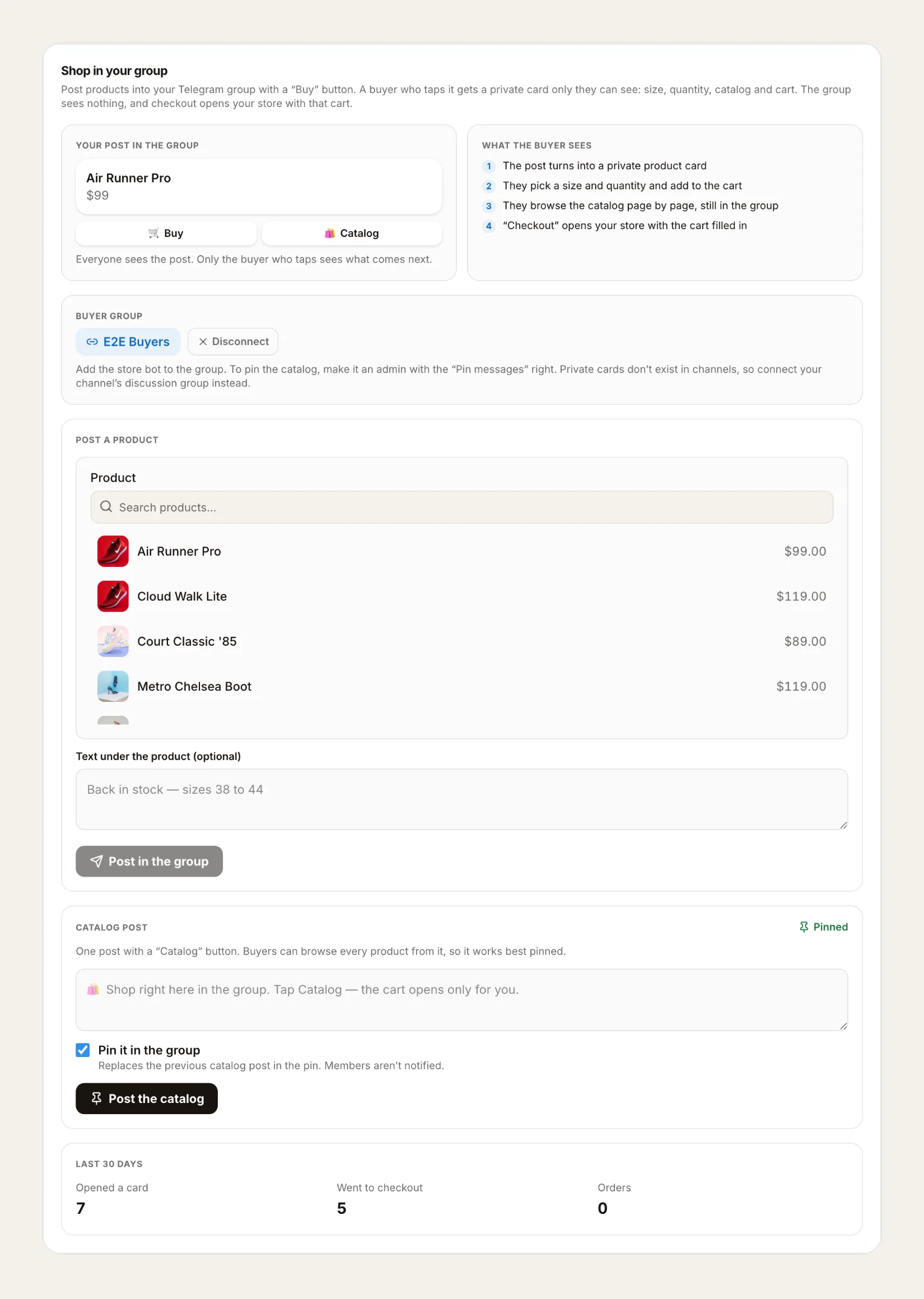
- Open Telegram bot → Shop in group in the dashboard.
- Connect the group under Buyer group: paste its @username, a t.me link or the chat id and press Connect. The bot checks that it's a group, not a channel.
- Post a product. Pick an item, add Text under the product (optional), for example "Back in stock, sizes 40–43", and press Post in the group.
- Post the catalog. Write the Catalog post text, leave Pin it in the group on and press Post the catalog. The new post replaces the old one in the pin, and members aren't notified.
- Tell the group. A one-line message is enough: "Tap Buy under any post, nobody else sees your cart."
It works for stores with a storefront, whether your products live in Tiny Shops or in a Google Sheet.
What the buyer sees#
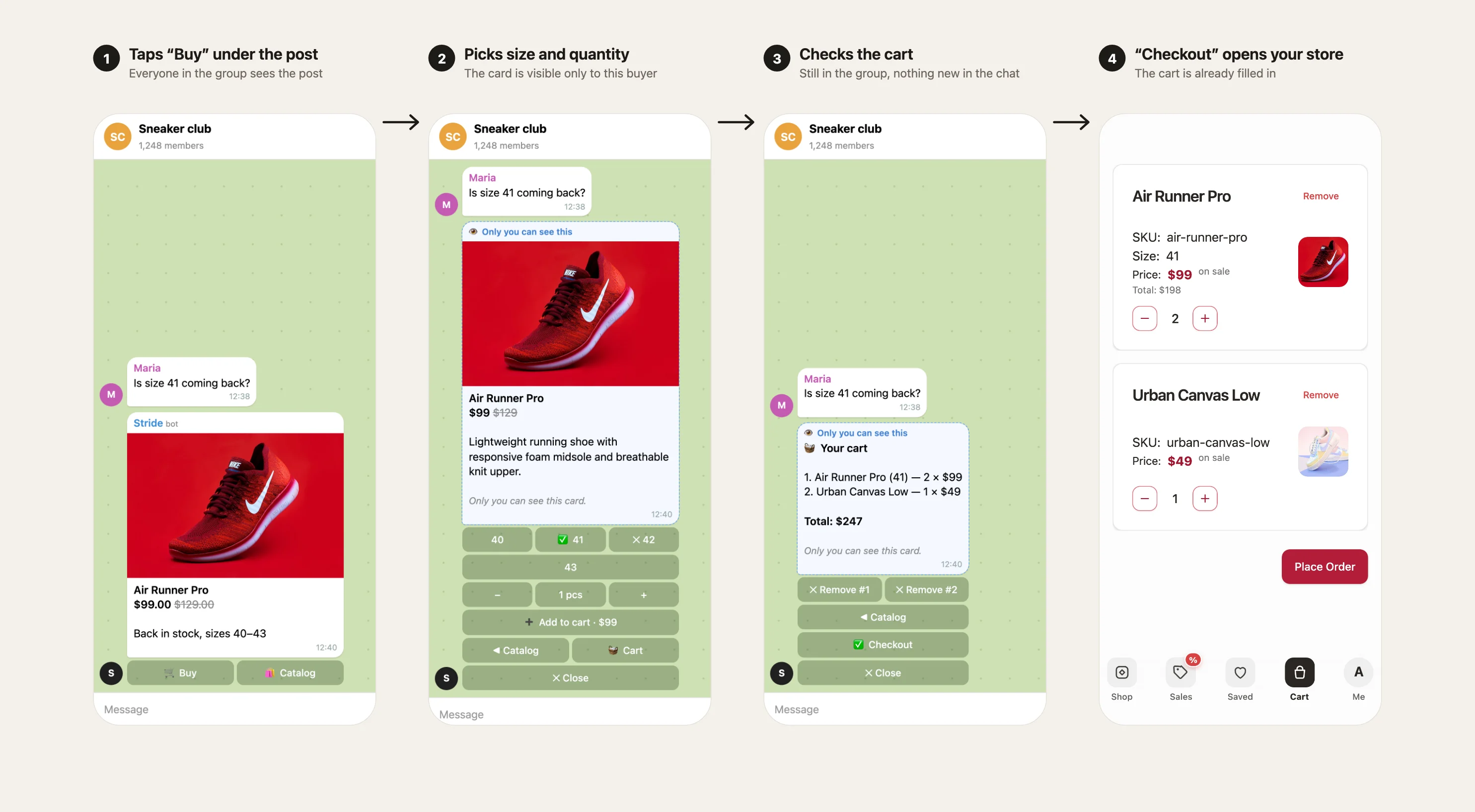
- A post in the group. Under the photo, price and your text sit two buttons, 🛒 Buy and 🛍 Catalog. Everyone in the group sees this post.
- A private card. The buyer taps Buy, and for them the post turns into a product card marked "Only you can see this". It has sizes (sold-out ones are crossed out), quantity and Add to cart.
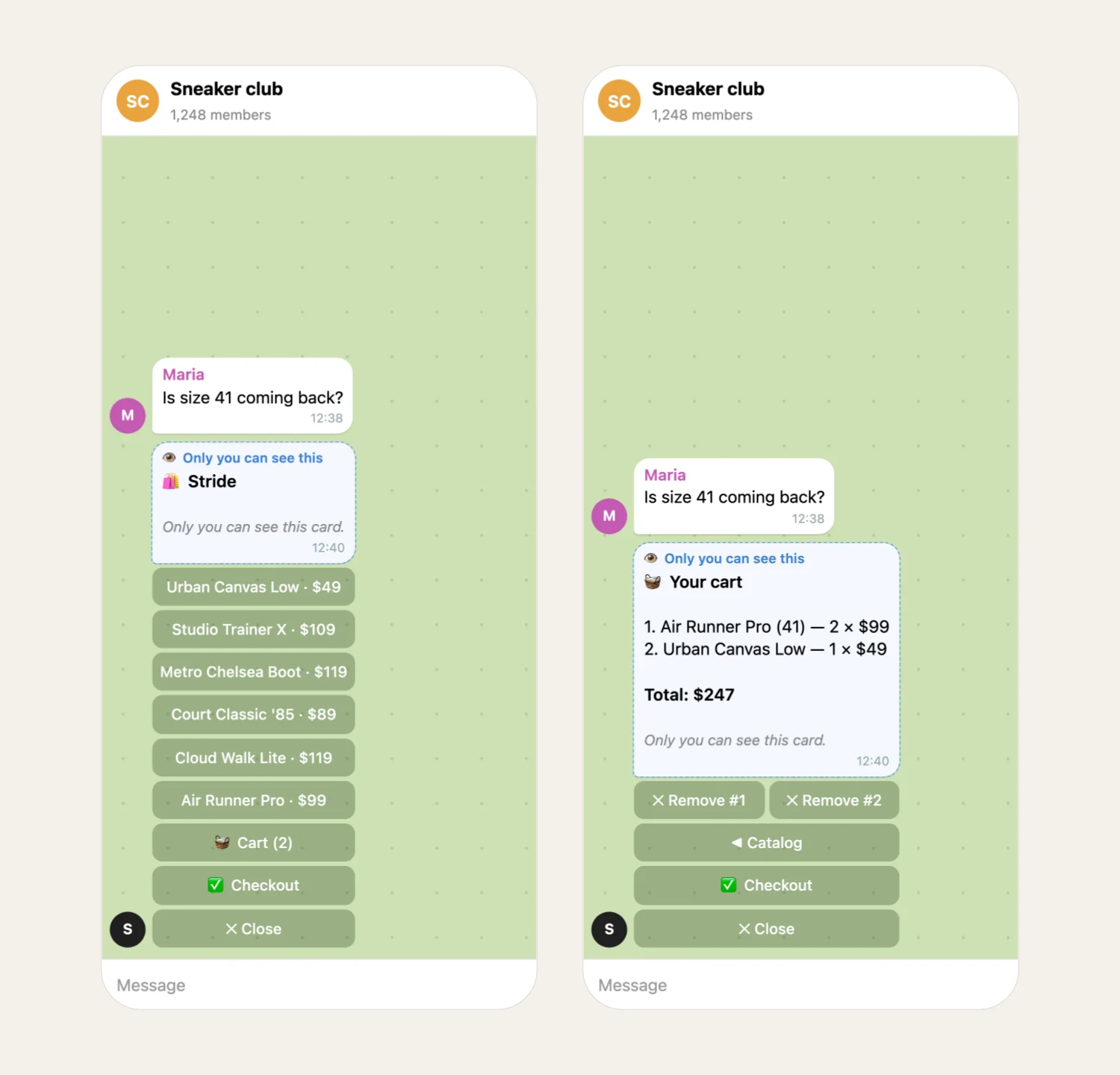
- The cart. Everything changes inside that same message: the cart, removing items, going back to the catalog. The card doesn't add new messages to the chat.
- Checkout. Checkout opens your store in Telegram straight on the cart with the chosen products, and the card disappears from the group. From there it's the usual flow: delivery and payment with any method you've connected.
If a hundred people pick sneakers at once, not a single new message appears in the chat.
How private cards work#
The card uses Telegram's ephemeral messages (Bot API 10.2): a message in a group that only one member sees. Each tap edits that same card instead of sending a new one, and the cart is saved, so the buyer can browse, come back and still find it.
A few limits keep the card readable: the catalog shows 6 products a page, a cart holds up to 10 lines and up to 20 of each item, and post text is up to 800 characters.
The catalog, right in the group#
You don't have to post every product. Publish one post with a Catalog button and pin it. Any member can browse the whole range page by page and fill a cart, again visible only to them.
What to measure#
Settings show the last 30 days: Opened a card, Went to checkout and Orders (placed within 7 days). Many cards opened but few checkouts usually means sizes or prices are the question: answer it in the post text.
If you have a channel#
Telegram channels don't support private cards. Link a discussion group to your channel and post products there. If someone taps a button under a channel post, the bot opens a private chat with them, with a store button on that product, so the buyer isn't lost. The same happens for a buyer whose Telegram app can't show private cards.
Stores that sell paid files for Stars in chat won't see this section: they have no catalog or cart.
Through agents#
Your agents and Nano can do all of this too: get_group_shop shows the connected group and the numbers, update_group_shop connects a group, and publish_group_product and publish_group_catalog publish posts. Before publishing, the tools show a preview, and the post goes out only after you confirm.
FAQ#
Do other members see what I add to my cart? No. The card and the cart are visible only to the person who tapped Buy.
Does the bot need to be an admin? Only to pin the catalog post. To post products, it just needs to be a member that can send messages.
Can I sell in a Telegram channel the same way? Not directly: channels don't support private cards. Link a discussion group and post there, or let channel buttons open the bot in private.
Which payments work? Any method connected to your store: Stars, cards, local payments, TON. See Telegram payment methods.
Open your store and turn on the shop bot for your Telegram group at tiny-shops.com →
