Tiny Shops is a no-code Telegram Mini App shop builder. One login can now run more than one shop: switch in the sidebar, keep a separate bot and catalog per shop, and stay on a single plan.
What shipped#
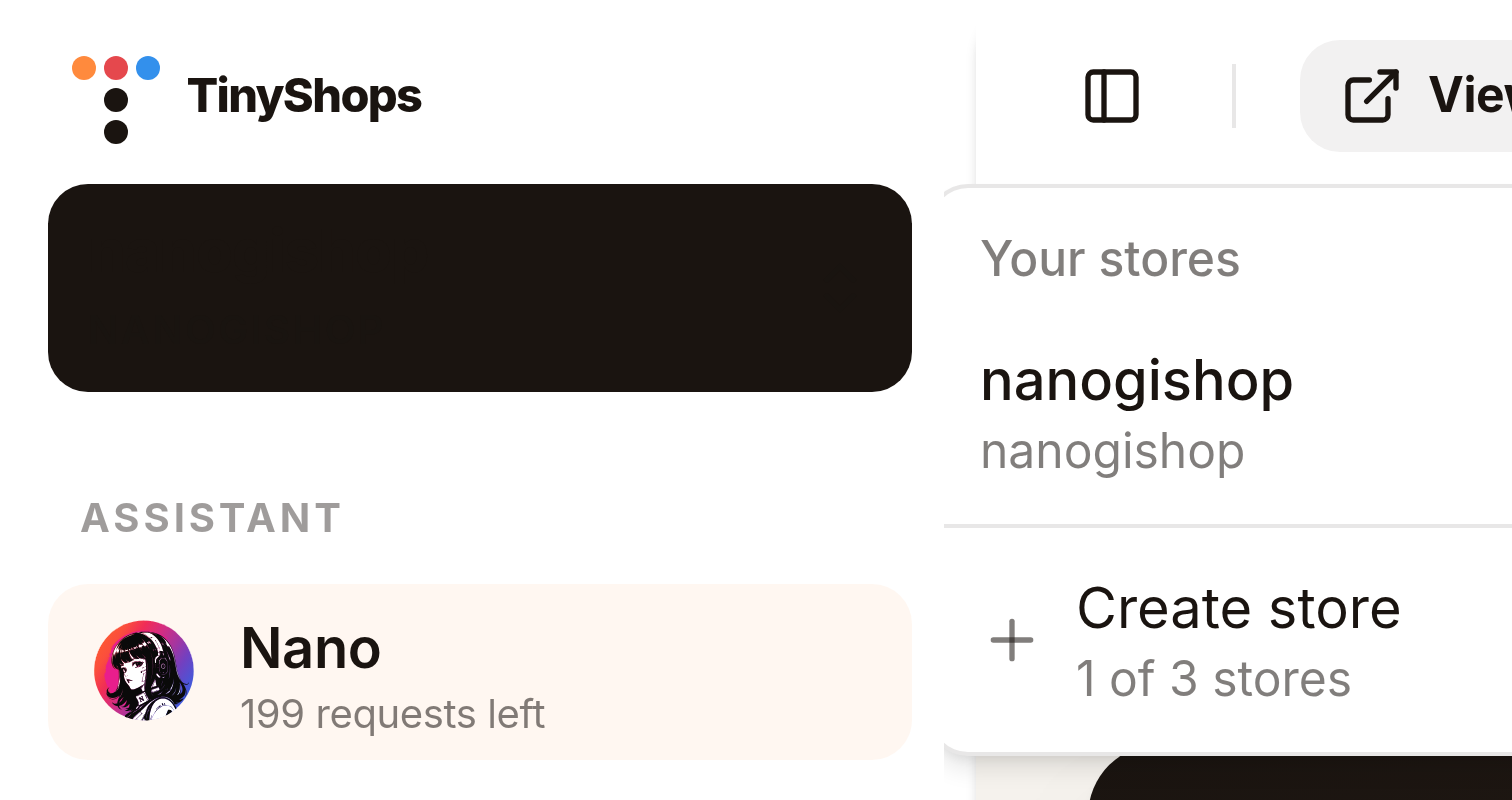
- Store switcher — owners click the store name in the sidebar (even with one shop). Your stores lists them. The create row shows 1 of 1 store on Starter, 2 of 3 stores on Pro.
- Create store — Add a store card: Store name, optional Tenant ID, Connect store. No second checkout. Connect the bot later from Telegram bot.
- Caps — Starter 1, Pro up to 3, Scale up to 10. At the cap, Create store is disabled and Upgrade plan appears.
/create-storeshows Store limit reached. - One bill — with two or more shops, Billing says contacts, broadcasts, and AI requests are counted across all your stores. Deleting a shop does not cancel the plan unless it was the last one.
- Delete this store — Storefront Settings → General → Danger zone. Last shop returns you to the setup wizard.
Full walkthrough: How to run multiple Telegram shops from one account.
Where to click#
- Dashboard sidebar → store name → Create store (or pick another shop).
- At the cap, Upgrade plan.
- To retire a brand: switch into it → Storefront Settings → General → Delete this store.
Create or open your store at tiny-shops.com →
- 🇷🇺 Tiny Shops RU
- 🇬🇧 Tiny Shops EN