Tiny Shops is a no-code Telegram Mini App shop builder. You can now serve the storefront on a domain you already own — in the browser and in the Telegram Mini App — without giving up your included Tiny Shops address.
What shipped#
- Domain page in the sidebar (Pro / Scale) — connect, verify, go live, disconnect.
- DNS helper — CNAME for subdomains, A records for apex; proxy warning when DNS is cloaked.
- Automatic certificate — Let's Encrypt after DNS verifies; renews on its own.
- Mini App cutover — we re-point the bot's Mini App URL when status is Live.
- Included address stays —
*.tiny-shops.comremains a permanent fallback (no forced 301). - BotFather /setdomain — one manual step for browser web login (called out in the UI).
How-to: How to put your Telegram shop on your own domain.
Where to click#
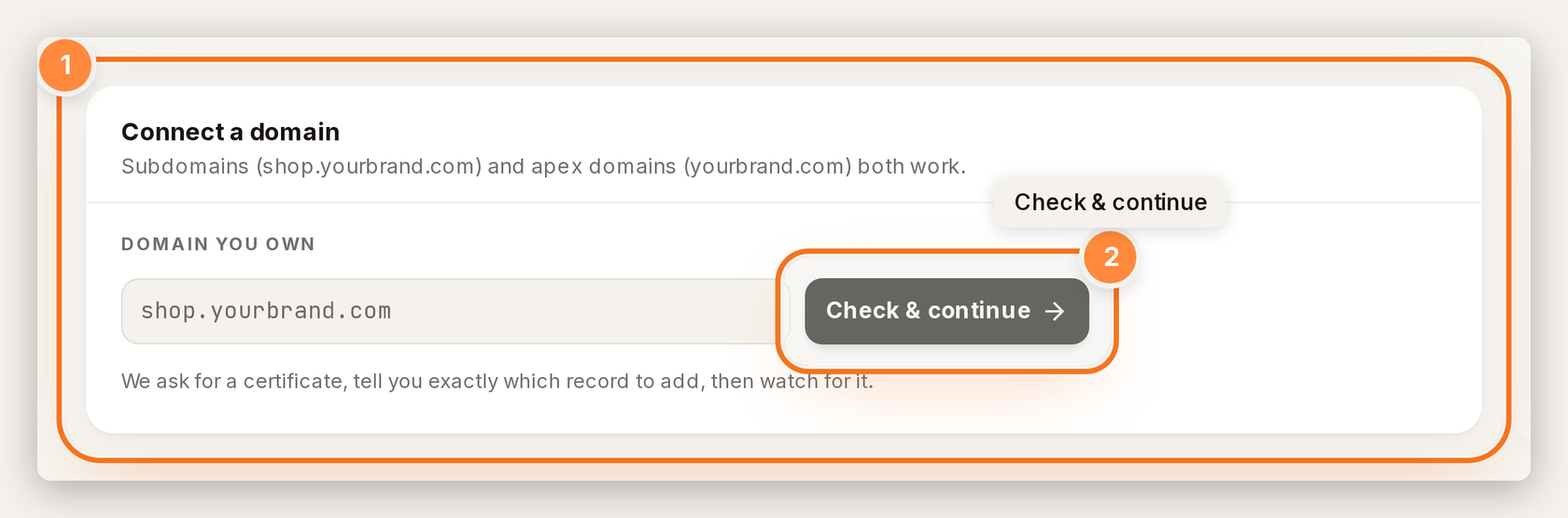
- Dashboard → Domain.
- Enter your hostname → Check & continue.
- Paste the DNS records at your registrar → wait for Live.
- In @BotFather, /setdomain with the hostname on the page.
Create or open your store at tiny-shops.com →
- 🇷🇺 Tiny Shops RU
- 🇬🇧 Tiny Shops EN
New store? Start with how to set up a Telegram store.