Three new features just landed in your Tiny Shops dashboard. None of them break what you already have — they just give you more ways to get paid, more freedom to change your setup, and a cleaner back office. Let's walk through each one: what it is, why it matters, and exactly where to click to turn it on.
1. Accept Payments in TON#
What it is. A new "Crypto Payments" mode that lets your store accept payments directly on the TON blockchain — Telegram's native chain. No intermediaries, no platform fees on crypto transactions.
Why it matters. TON is built into Telegram, so the 1B+ people already in the app can pay in a couple of taps without leaving the chat or pulling out a card. For crypto-native buyers, this removes the single biggest friction point in your checkout. If you sell digital goods, subscriptions, or anything to an international audience, on-chain payments settle in seconds and cost a fraction of a cent.
What your buyers see at checkout:
- A "Pay in TON" option
- A QR code and a TON deeplink that opens their wallet
- A copyable wallet address as a fallback
- A memo field and a confirm button
- Automatic on-chain verification once the transaction lands
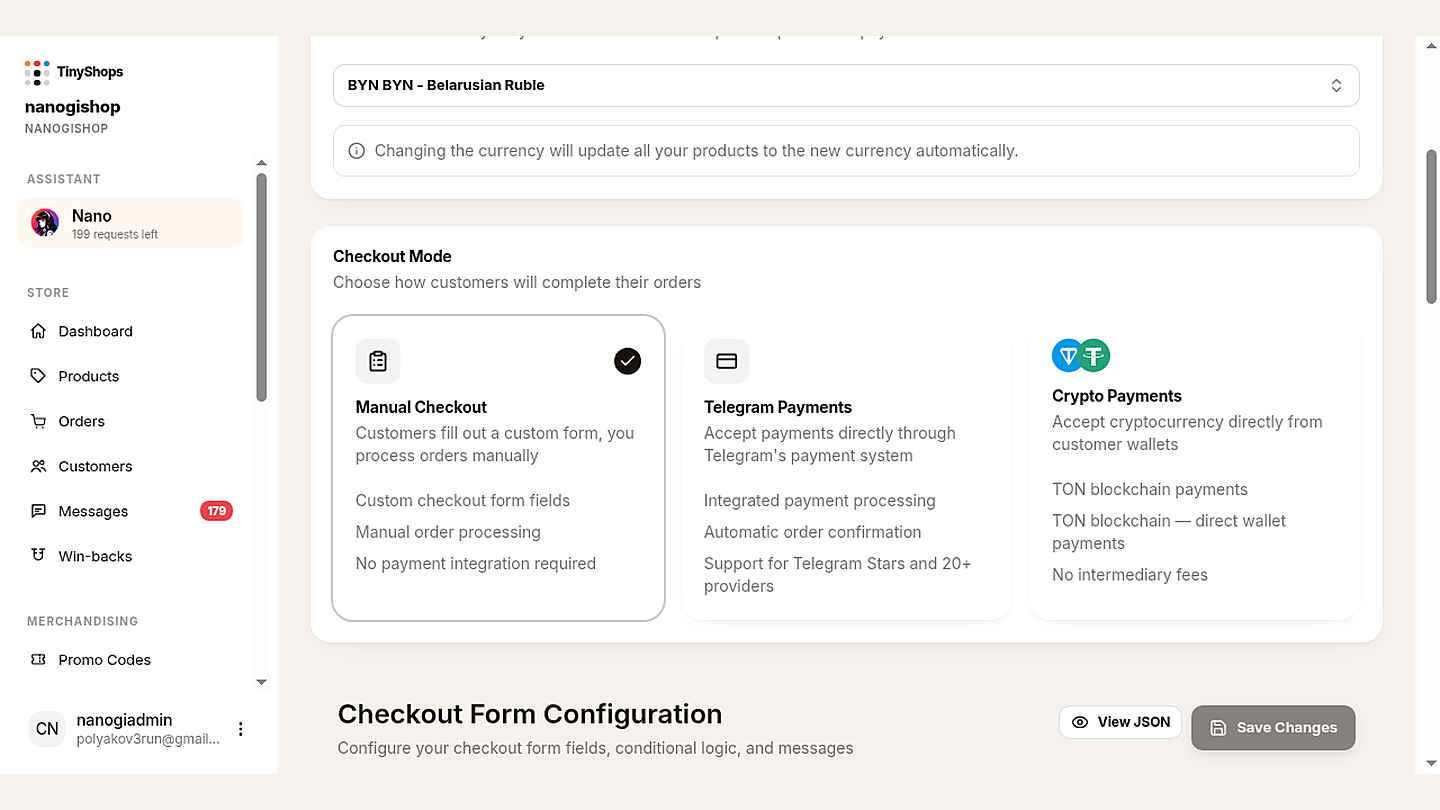
How to use it:
- Open Storefront Settings → Orders & Payments
- Select Crypto Payments
- Paste your TON wallet address
- Hit save — your store is live for TON payments immediately
The system handles currency compatibility for you. If your store currency doesn't pair cleanly with TON, it adjusts automatically, so nothing breaks silently. For the full picture of every payment option Tiny Shops supports, read our guide on how to accept payments in Telegram.
2. Change Your Bot Token#
What it is. You can now update your Telegram bot token from the dashboard without recreating your store. The token you entered at setup is no longer locked in.
Why it matters. Before this update, switching bots meant starting over — losing products, orders, and settings. Now you can rebrand, recover from a compromised token, or consolidate several bots into one store in under a minute, with all your data intact.
When you'd reach for this:
- Rebranding your Telegram presence
- Rotating a token after a security incident
- Merging multiple bots into a single store
- Testing on a staging bot before going live
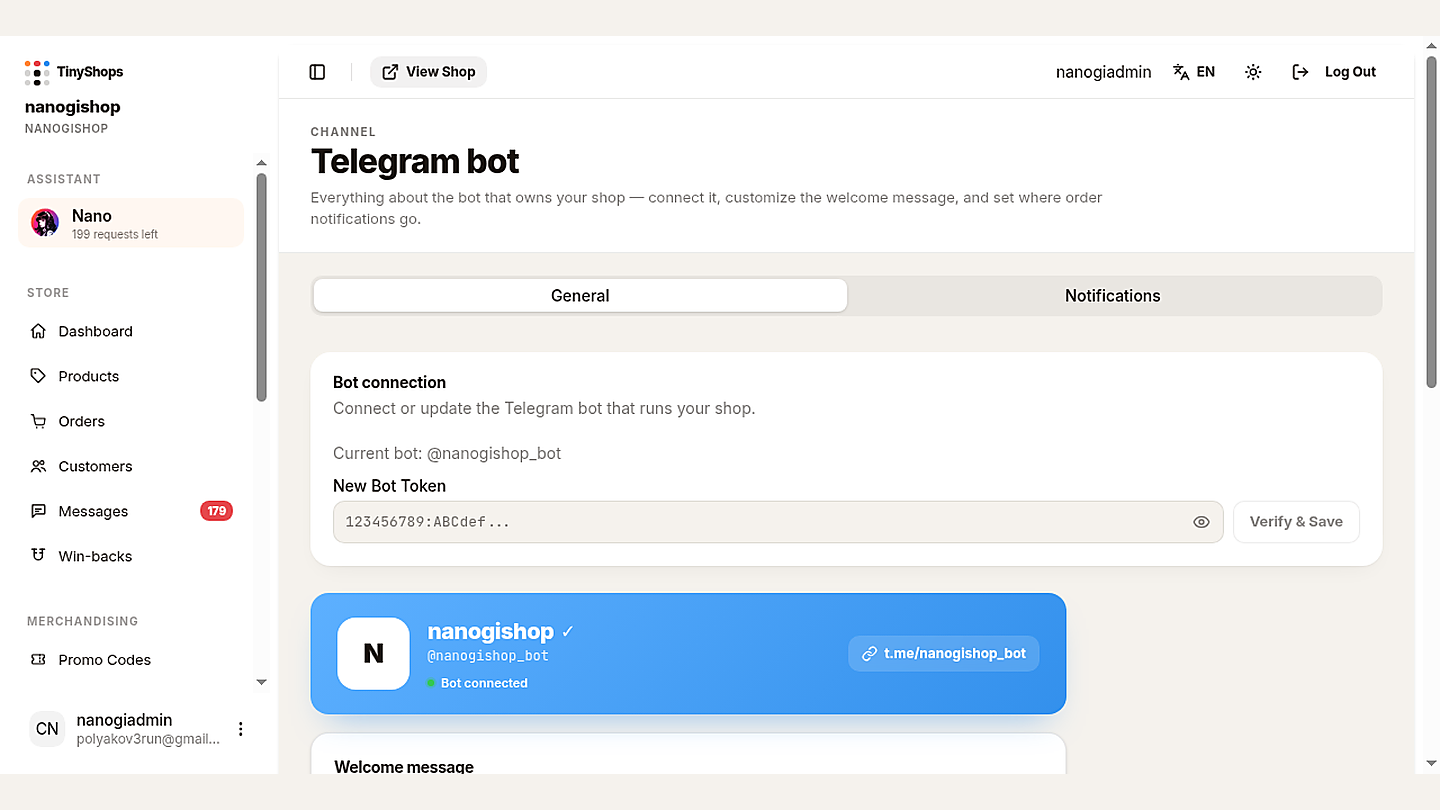
How to use it:
- Open CHANNEL: Telegram bot (
/telegram-bot) - Paste the new bot token into the token field
- Click Verify & Save — the system revalidates the token, confirms the bot username, and switches over
Your products, orders, and settings all stay exactly where they were. If you're setting up a fresh bot for the first time, our step-by-step bot store guide walks through creating one in @BotFather.
3. Delete Orders#
What it is. You can now permanently delete individual orders from your dashboard, not just change their status.
Why it matters. Until now you could only move orders through statuses (pending → processing → shipped → delivered → cancelled). Cancelled and test orders still piled up in your list forever. Now you can clear out test orders, duplicates, and anything that doesn't belong in your history — so your order view stays useful.
Good to know before you delete:
- Deletion is permanent — there's no undo
- Product stock is not affected (we don't auto-reverse inventory)
- Analytics may show a small gap if you remove recent orders — that's expected
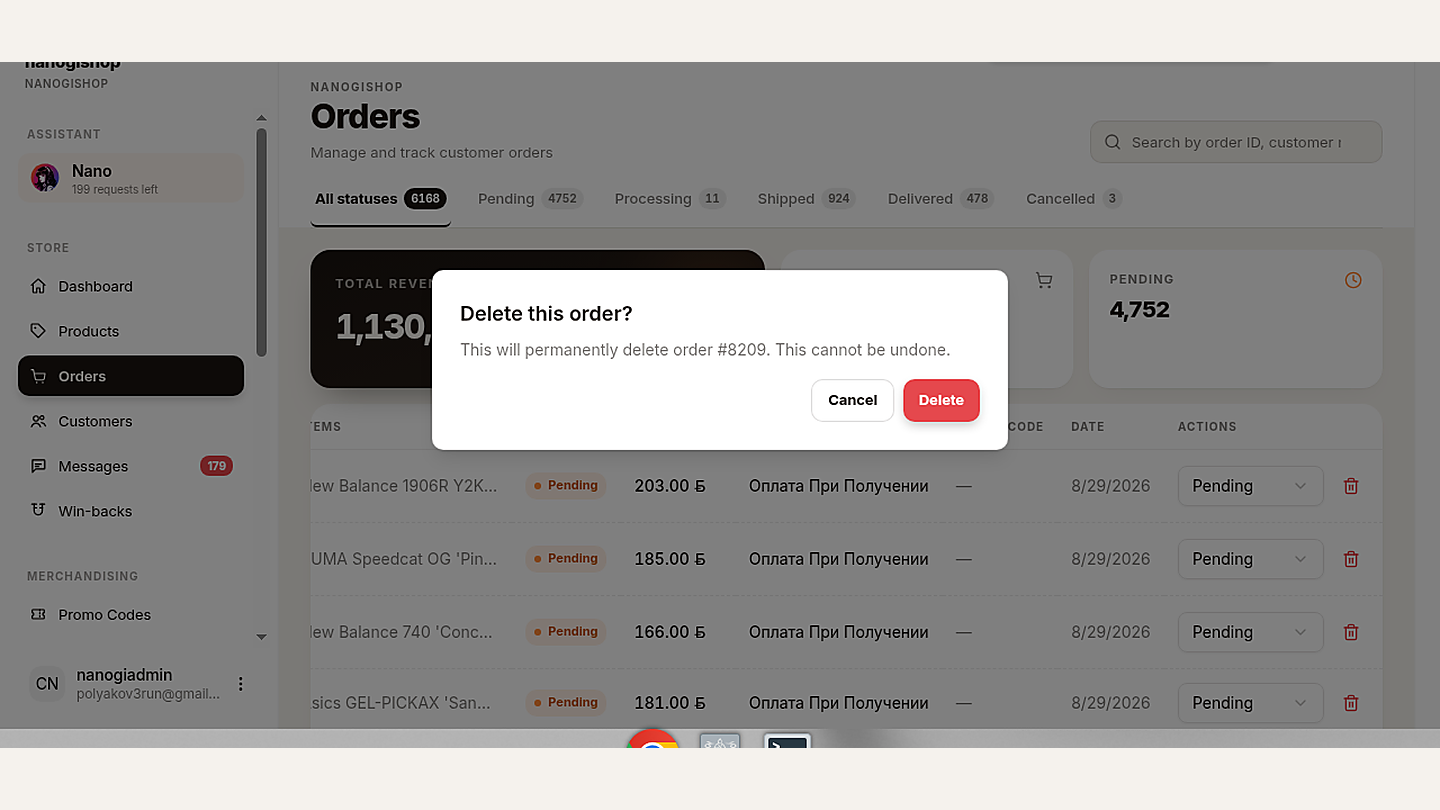
How to use it:
- Go to Orders
- Click the red trash icon in the ACTIONS column
- Confirm Delete this order? — it's gone for good
What's Next#
Here's what's on the bench for next month:
- More payment providers — expanding well beyond Stripe and Telegram Payments
- Better analytics — real-time sales data and conversion funnels
- Bulk operations — mass updates for products and orders
Want to drive repeat purchases in the meantime? Turn on the built-in cashback system — it takes a few minutes and runs itself.
Got feedback or feature requests? Drop them in our Telegram channels:
- 🇷🇺 Tiny Shops RU
- 🇬🇧 Tiny Shops EN
Try These Features Today#
All three updates are live right now for every Tiny Shops store. Accept TON, swap your bot, and clean up your orders — no migration, no downtime, no extra cost.
Create your free store at tiny-shops.com →
Tiny Shops is a Telegram-based e-commerce platform. Build your store in minutes, sell directly inside Telegram, and get paid however your customers prefer. New here? Follow our complete setup guide to go live today.